Warcraft III replay analyzer & parser
WARCRAFT III FORSAKEN KINGDOM REPLAY TOOL · WINDOWS
Thae's Replay Explorer is a free Windows tool that parses local Warcraft III .w3g replay files. Supports Warcraft III patch 3.0 The Forsaken Kingdom.
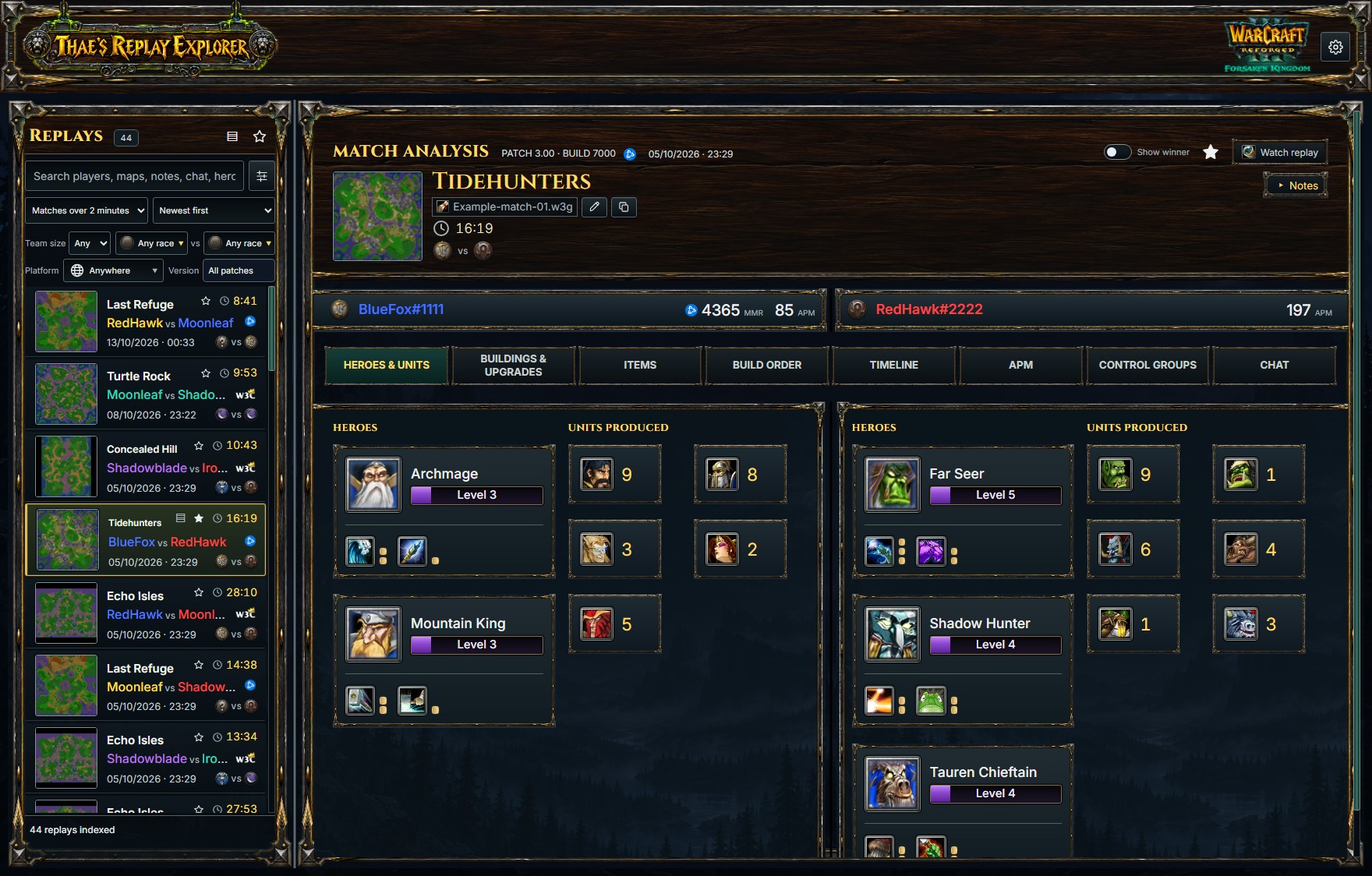
Heroes & units
Compare hero levels, ability rank bars and grouped units for both teams.
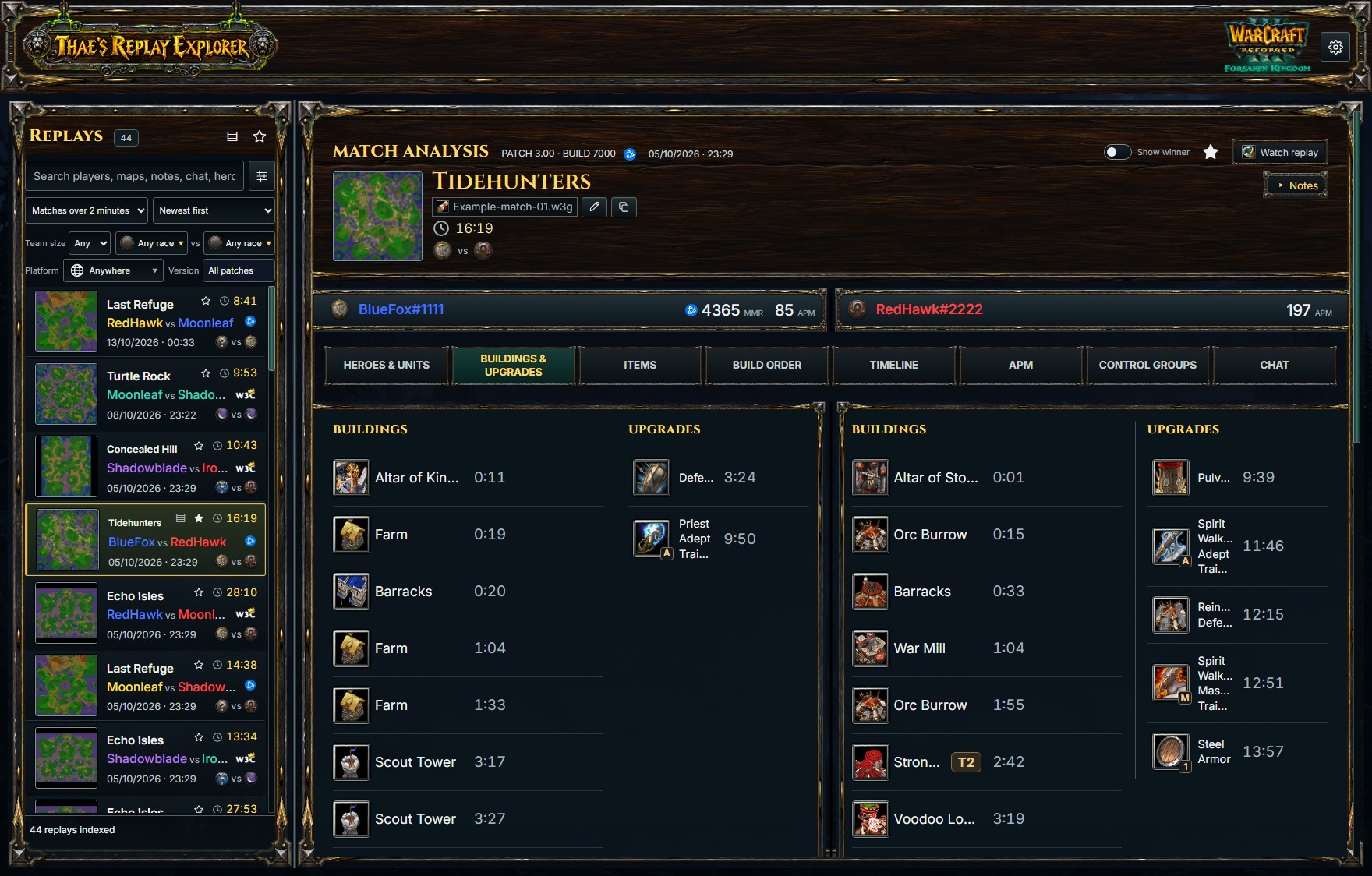
Buildings & upgrades
Follow building and research orders, including expansion and tier upgrade tags.
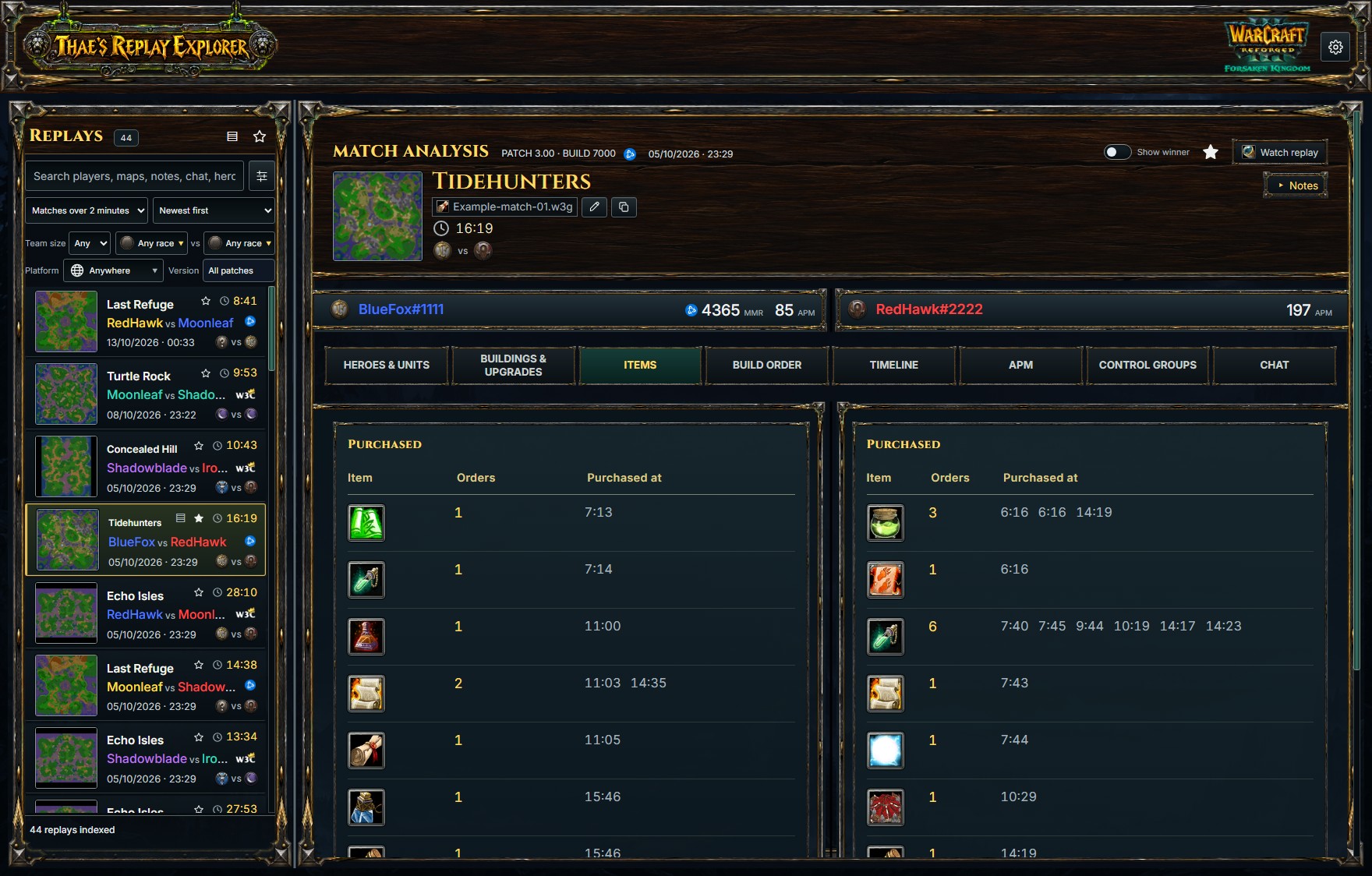
Items
See purchased items, their order counts and the times they were bought.
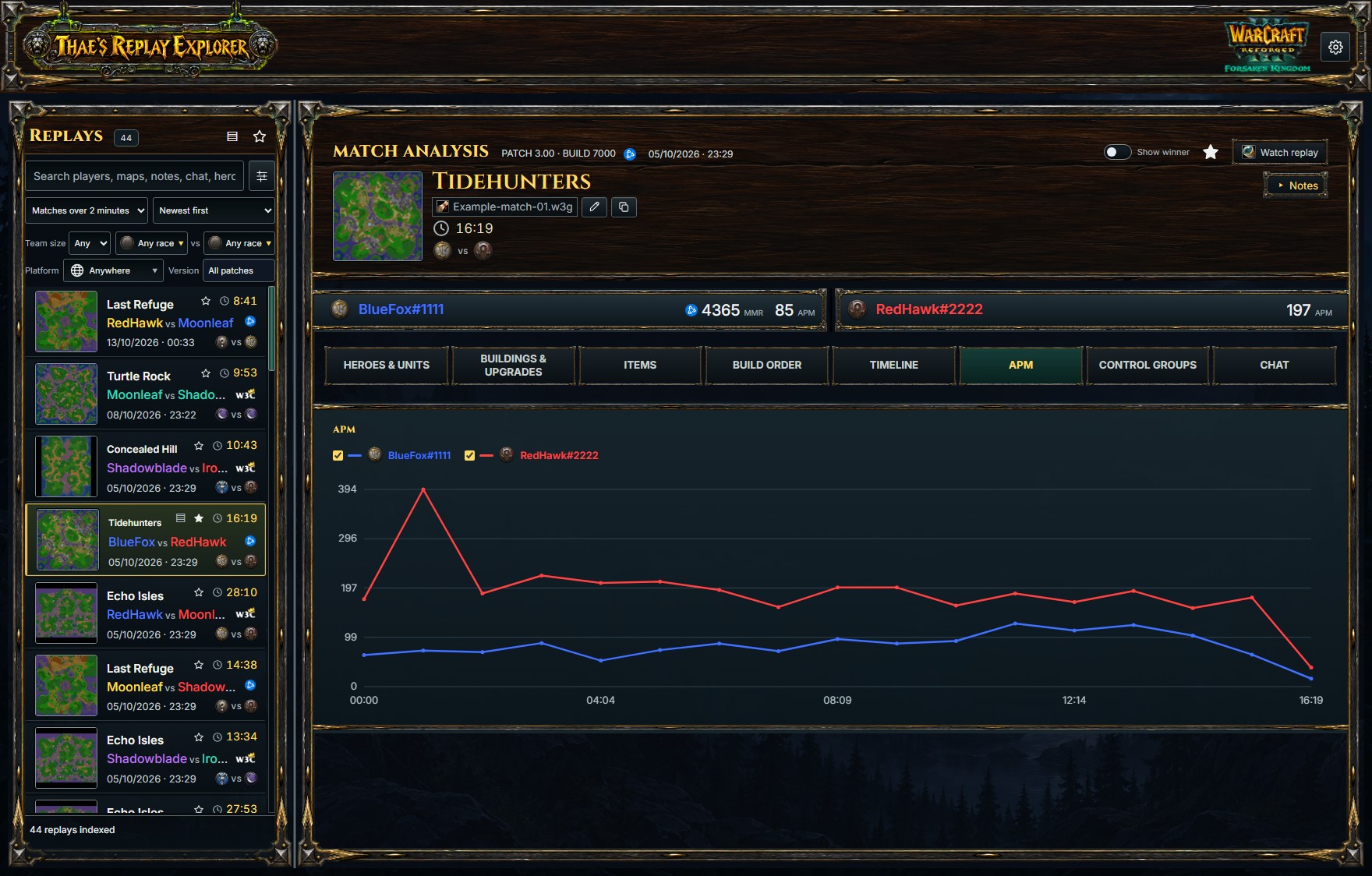
APM
Compare player-colored lines on one chart. Toggle players and hover over a line to read the time and APM.
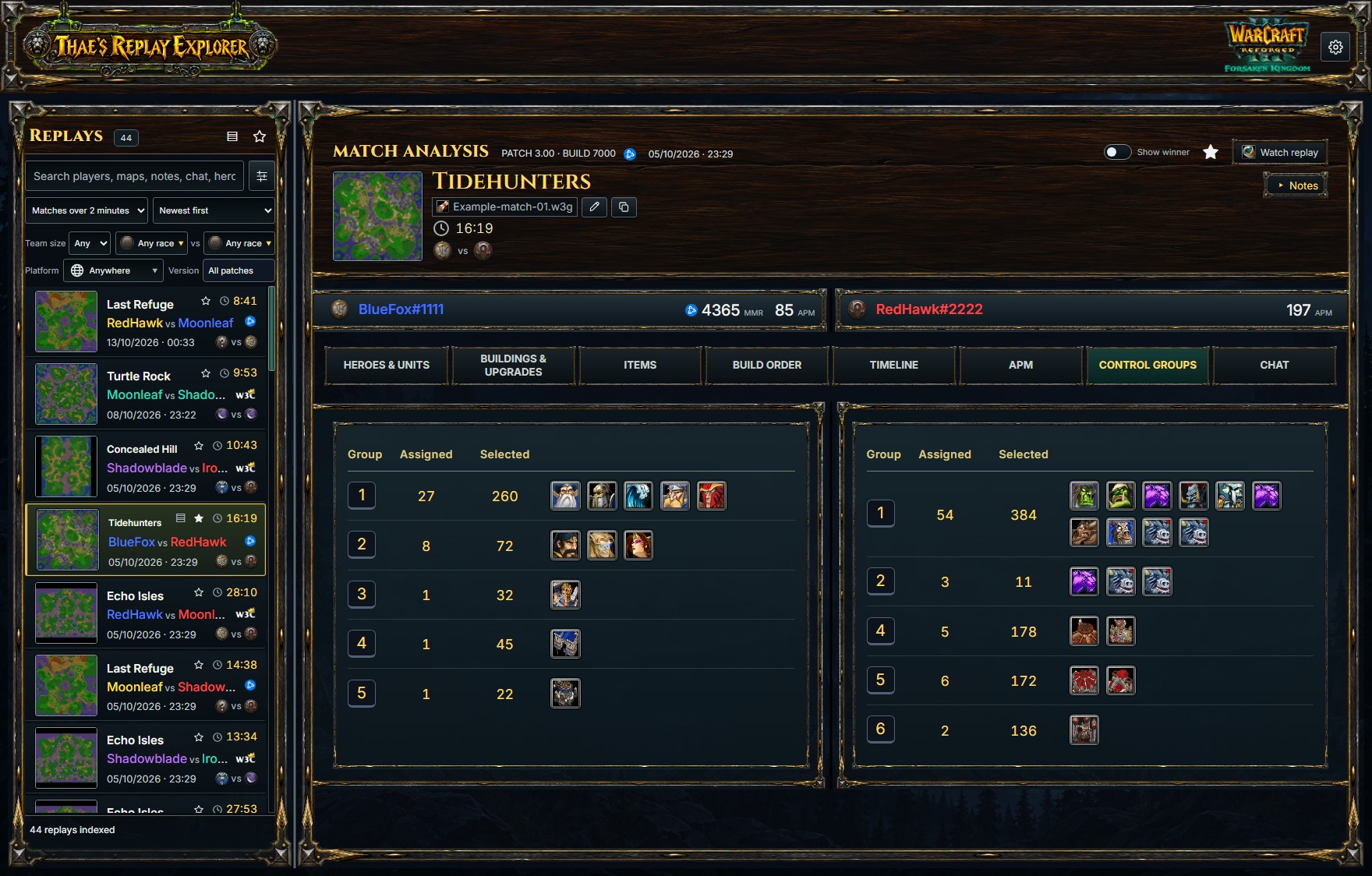
Control groups
Compare group usage and the unit, hero and building types assigned during the match.
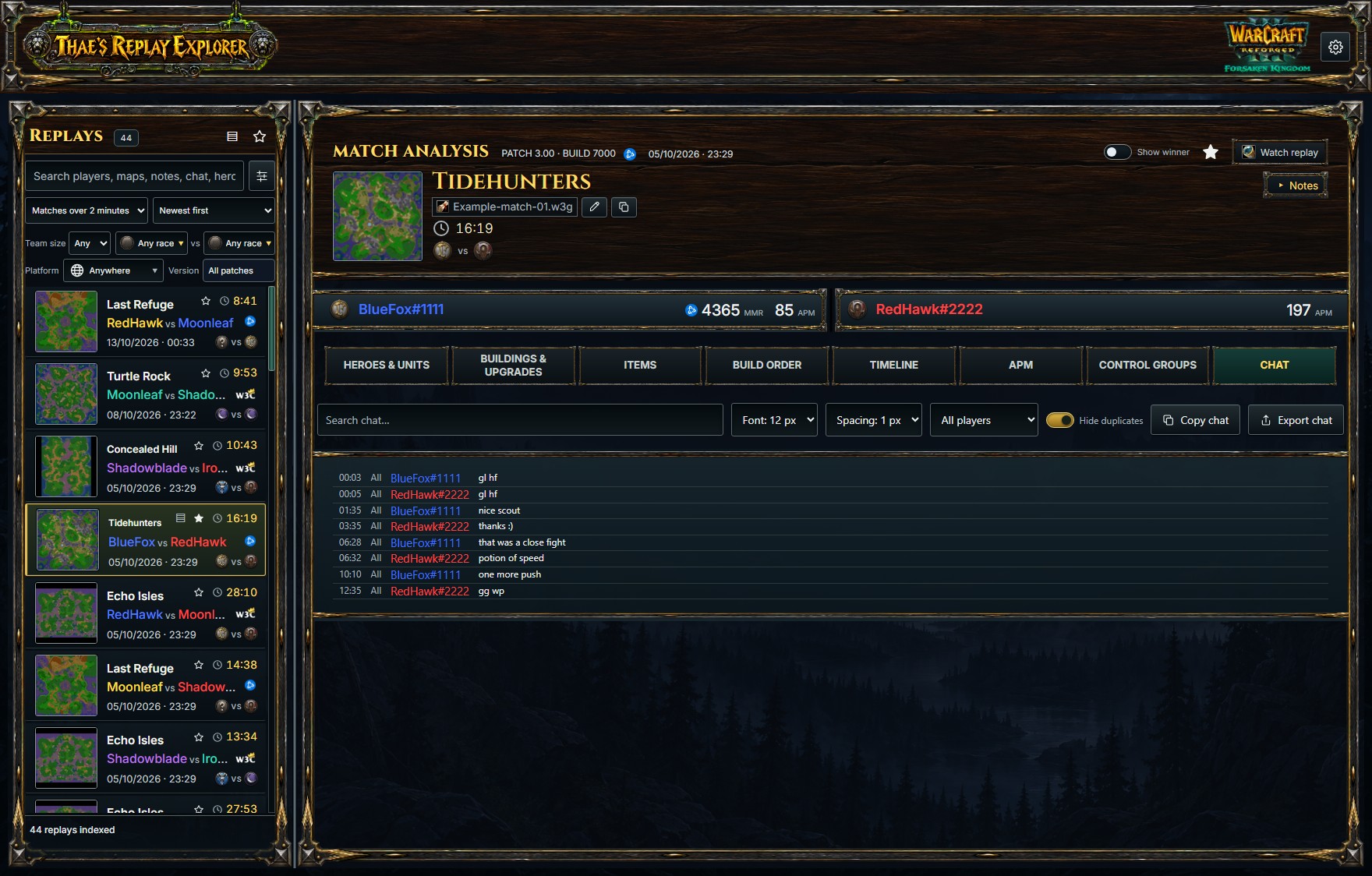
Chat
Search the conversation, filter by player, and copy or export the messages.
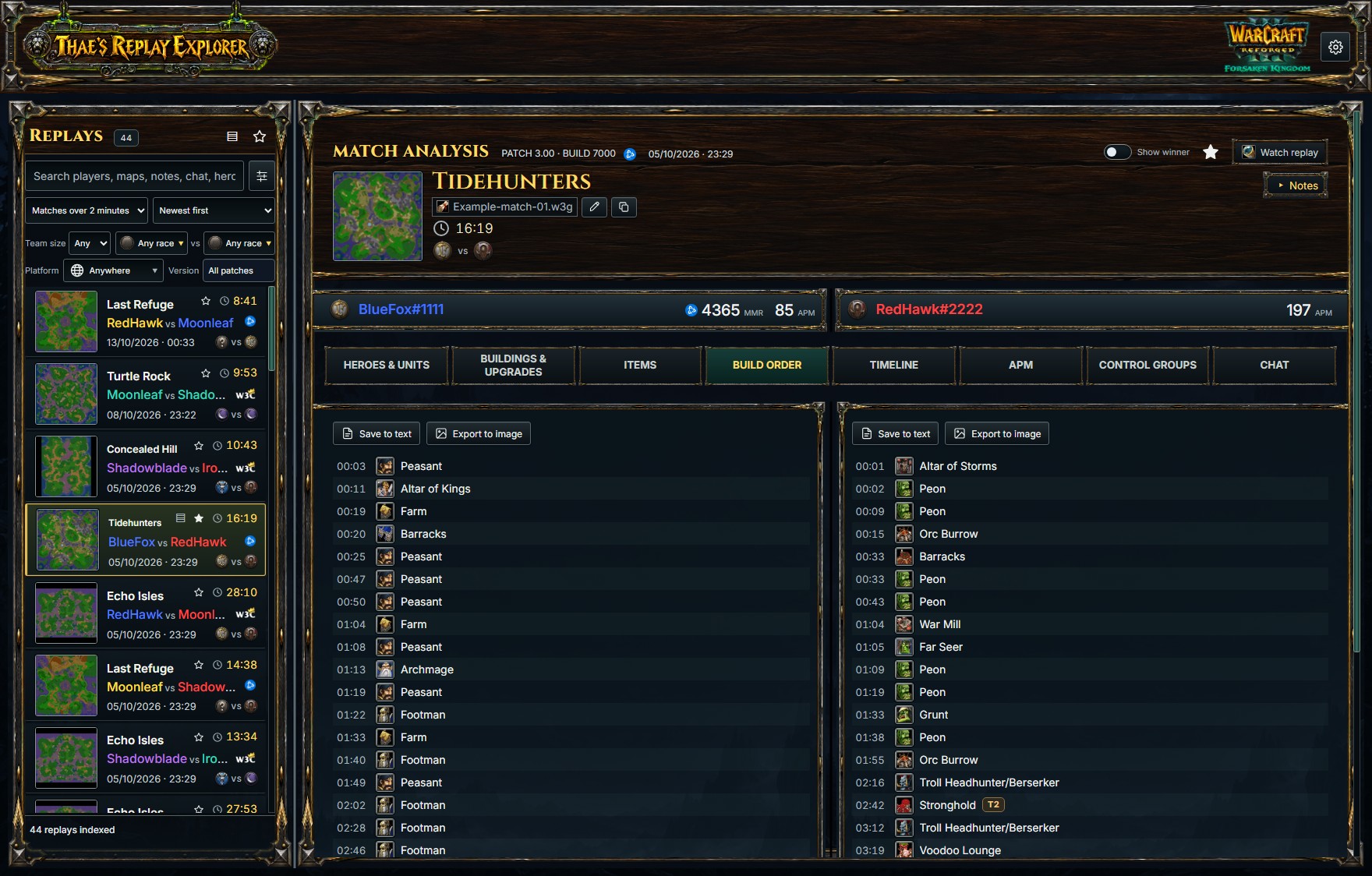
Build Order
Review opening orders side by side, then save each player’s build as text or an image.
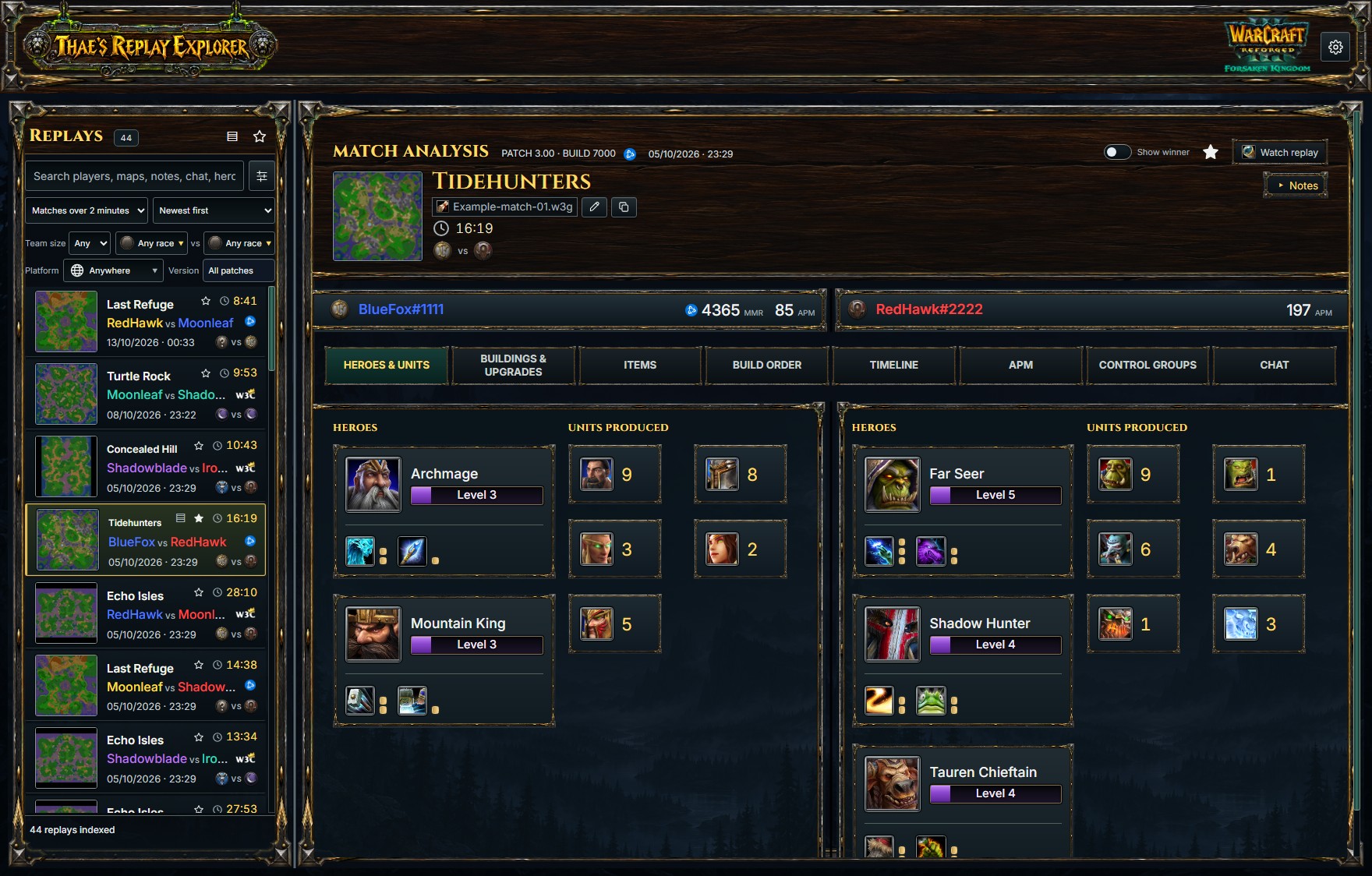
Reforged HD icons
Enable Reforged HD icons in Settings to switch the artwork used in match analysis.
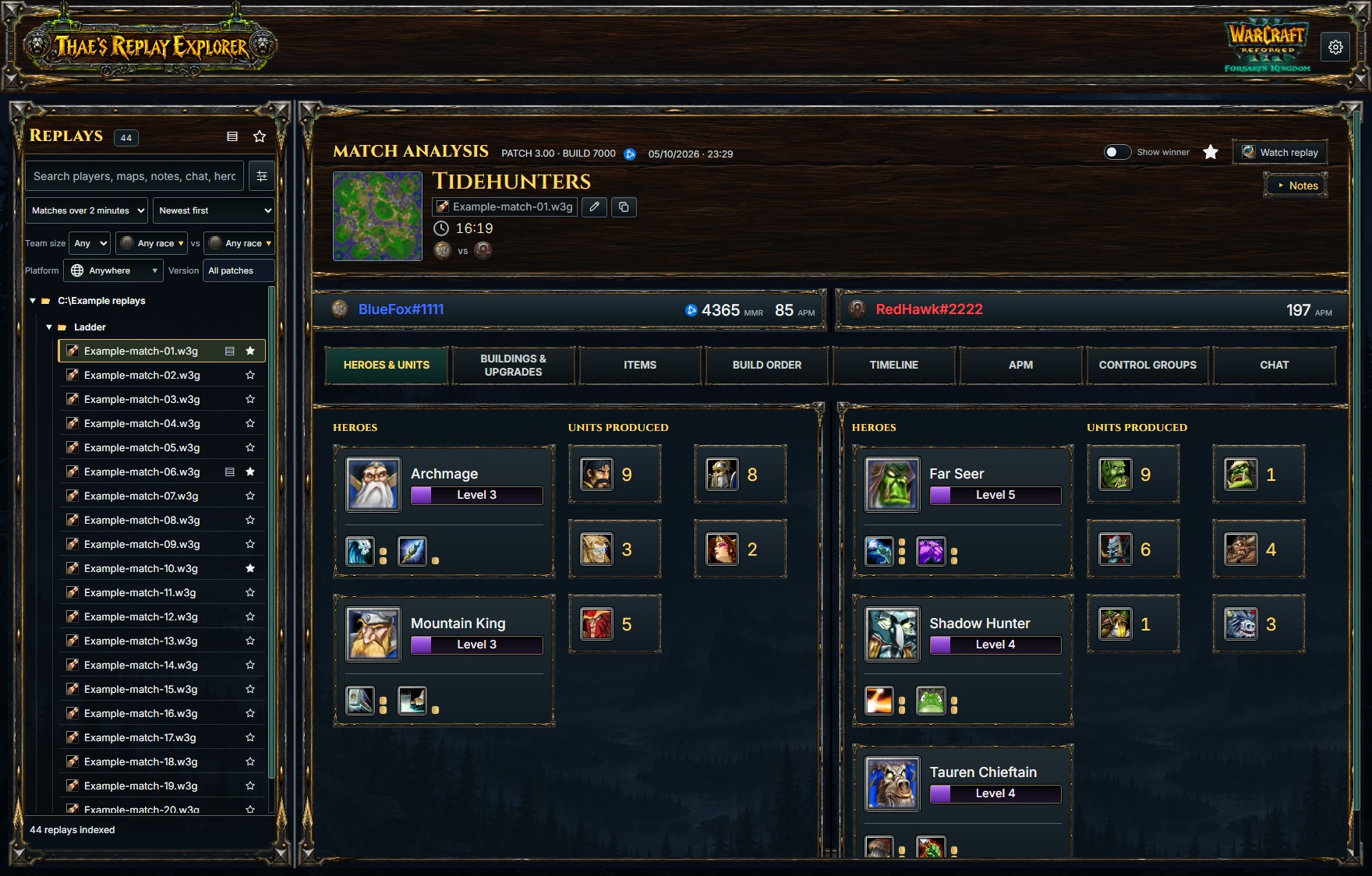
Classic explorer view
Browse separate replay roots and nested folders. Empty branches are greyed out or can be hidden.
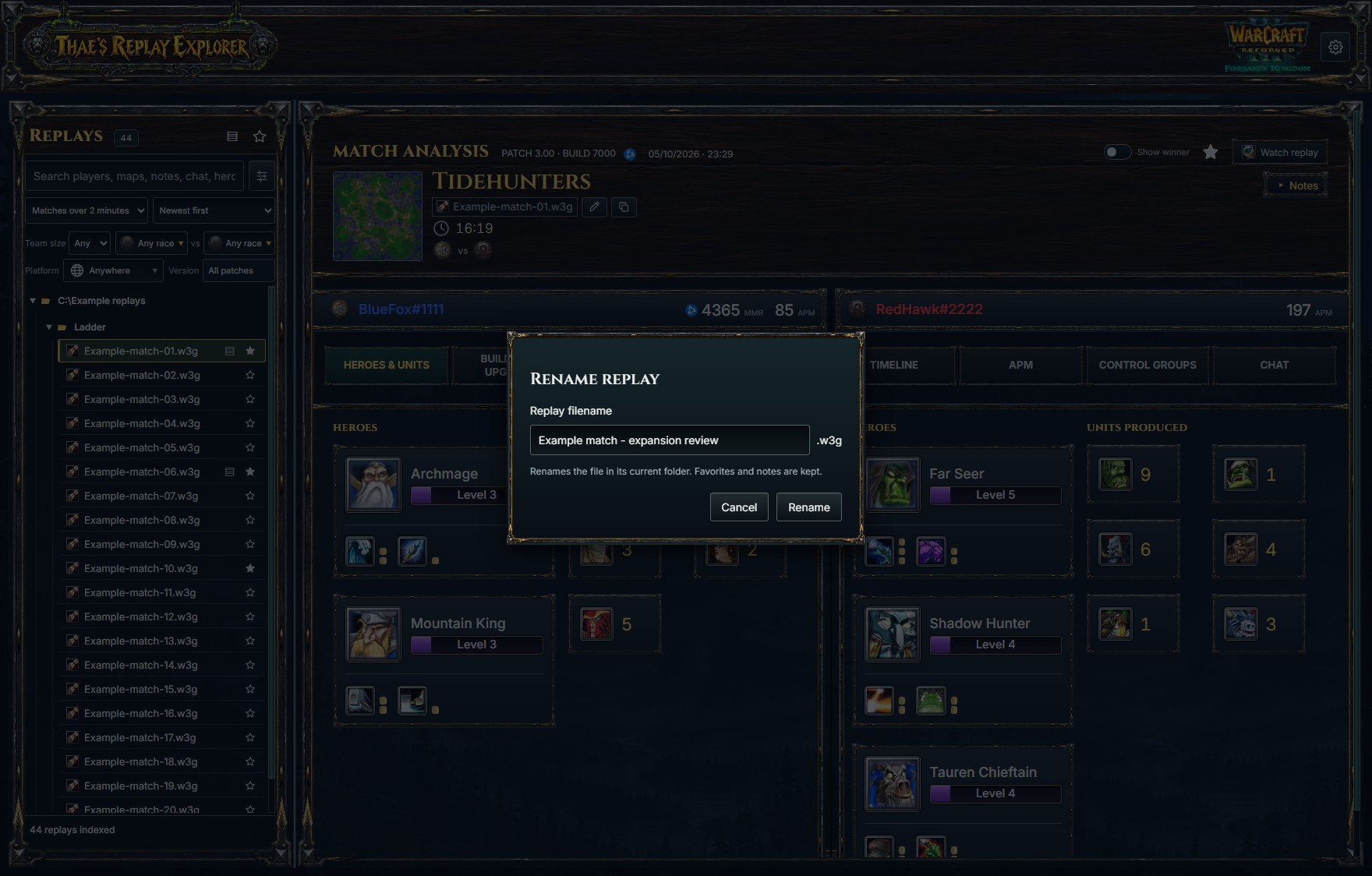
Rename replays
Give a replay a useful filename from Match Analysis or Classic explorer view, with F2 support. Favorites and notes are kept.
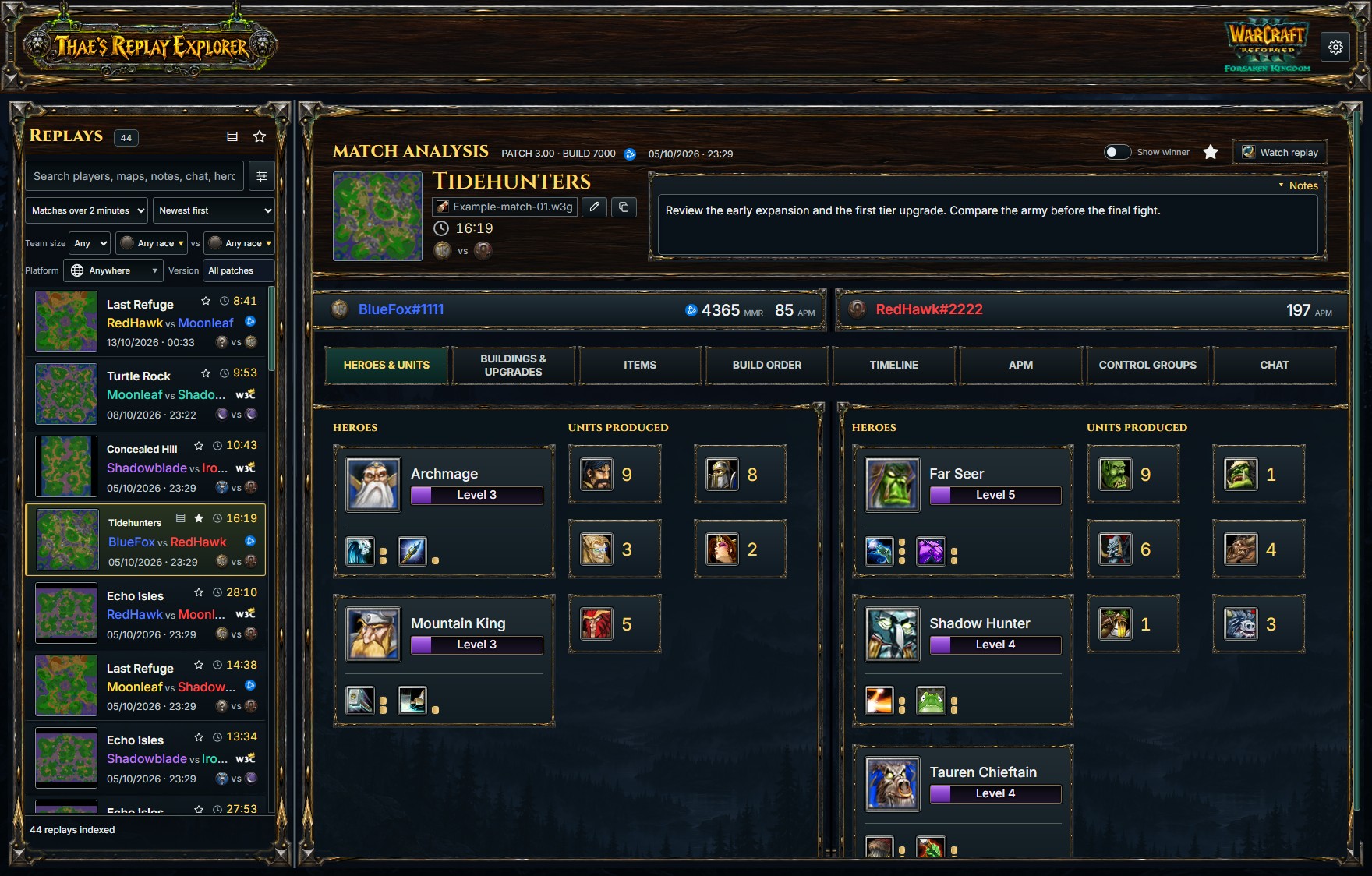
Replay notes
Add autosaved review notes to a match, then use the notes filter to find annotated replays.
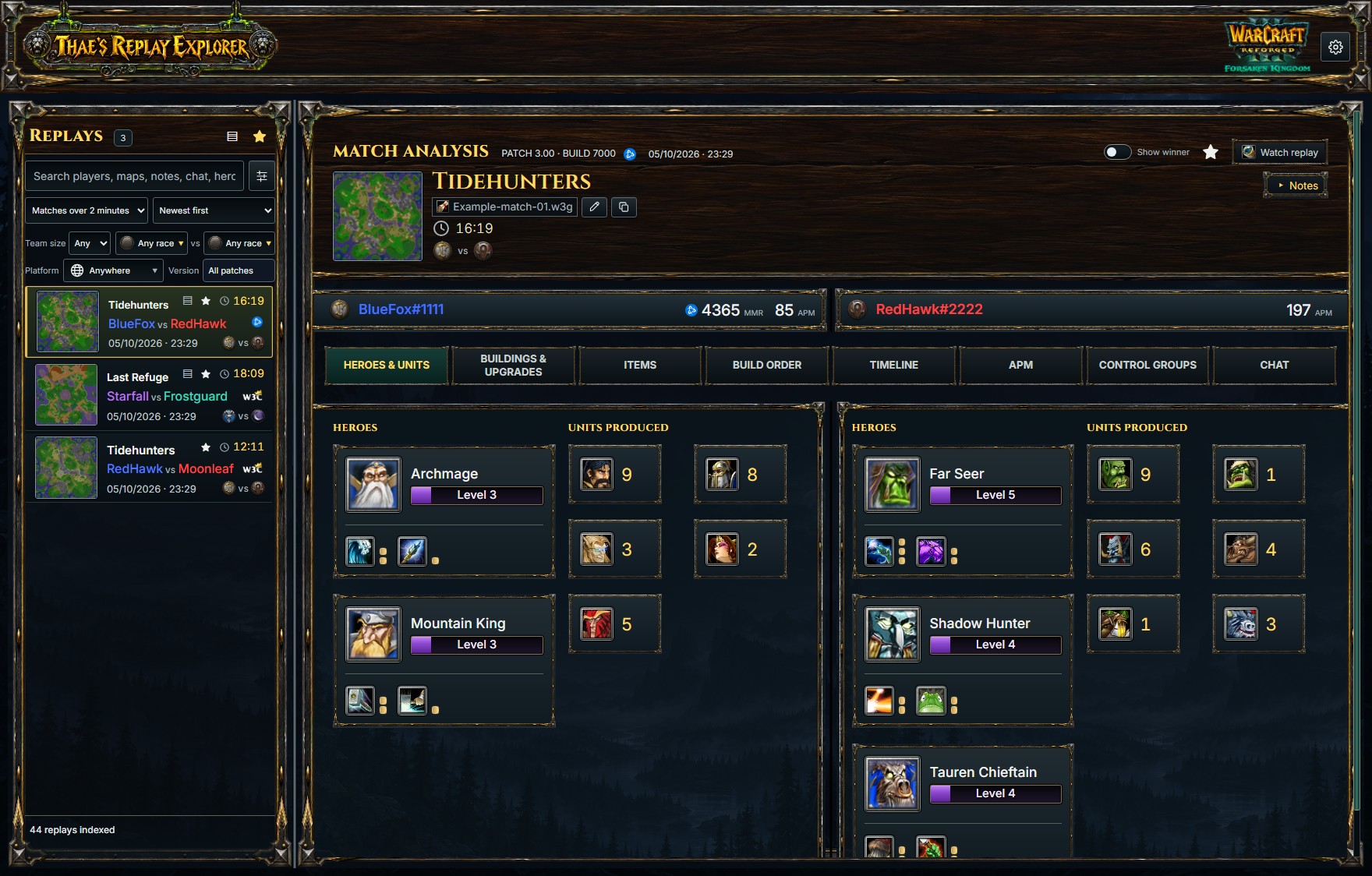
Favorite replays
Bookmark a match with the star beside its replay or in Match Analysis. Use the favorites filter to find it again.
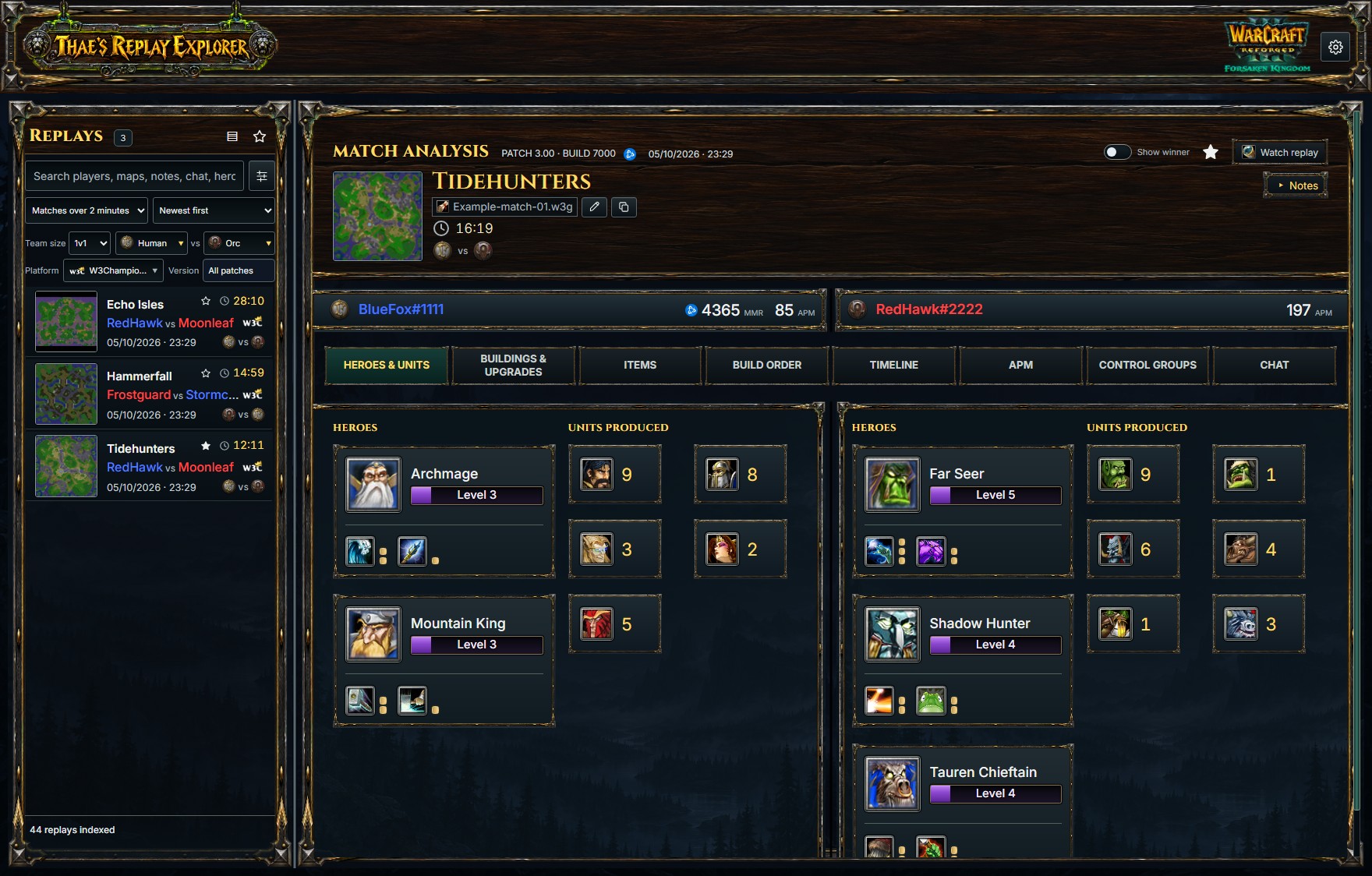
Matchup & platform filters
Combine team size, Human vs Orc and W3Champions filters to narrow your library.
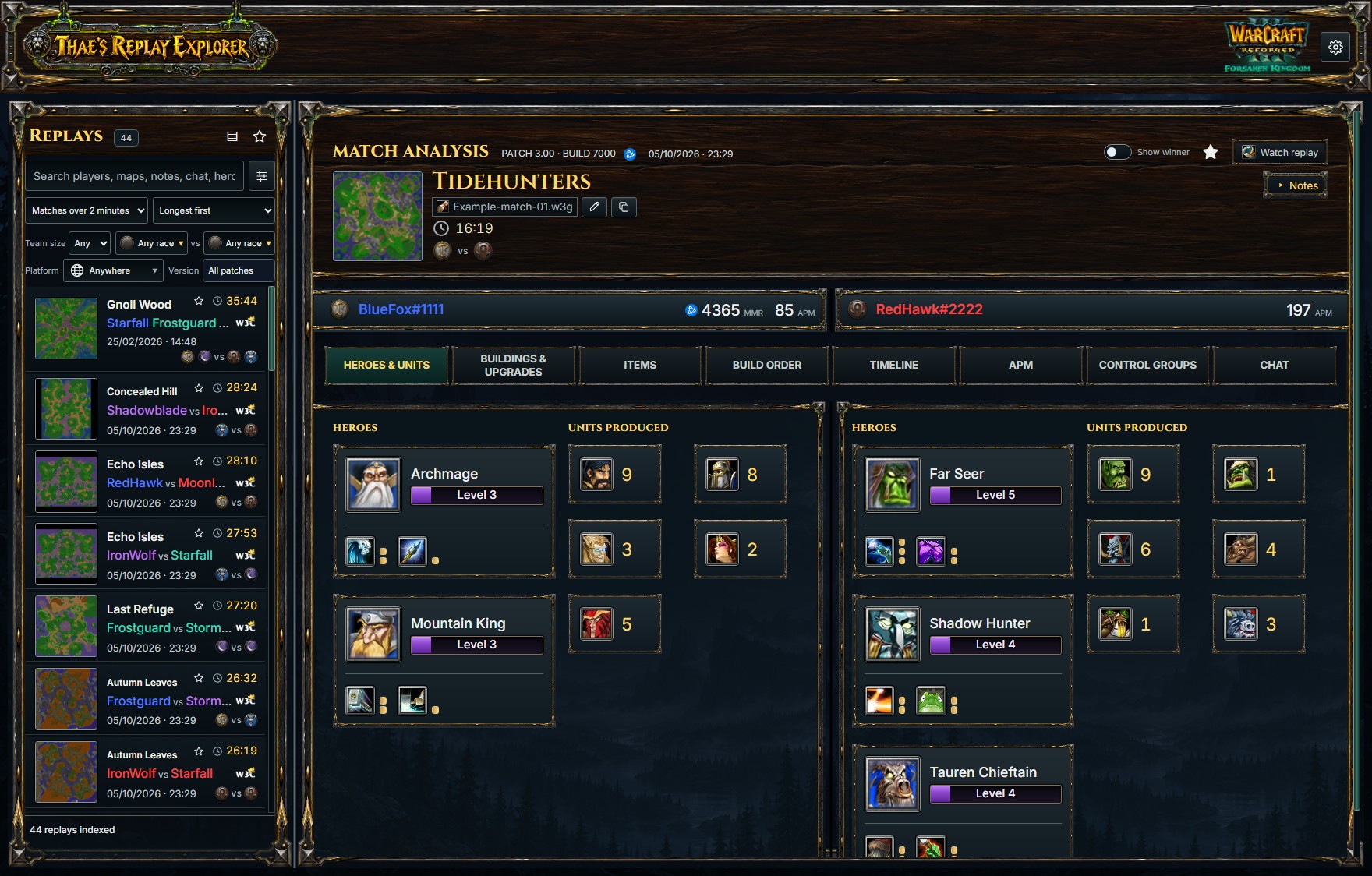
Duration sorting
Choose Longest first or Shortest first alongside date and map-name sorting.
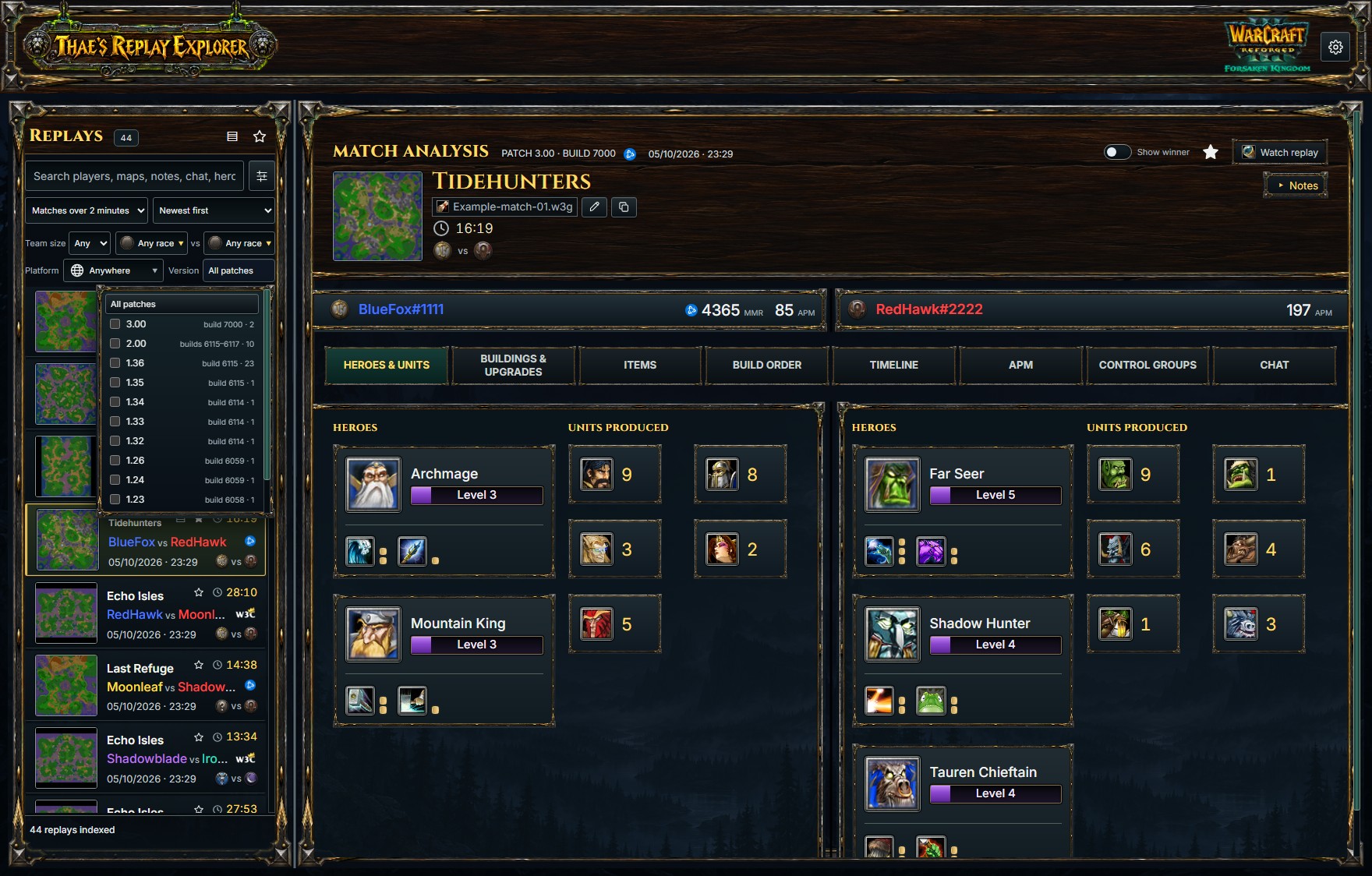
Game version filter
Select one or more patches found in your ed replays. Scroll the menu to see all available patch choices.
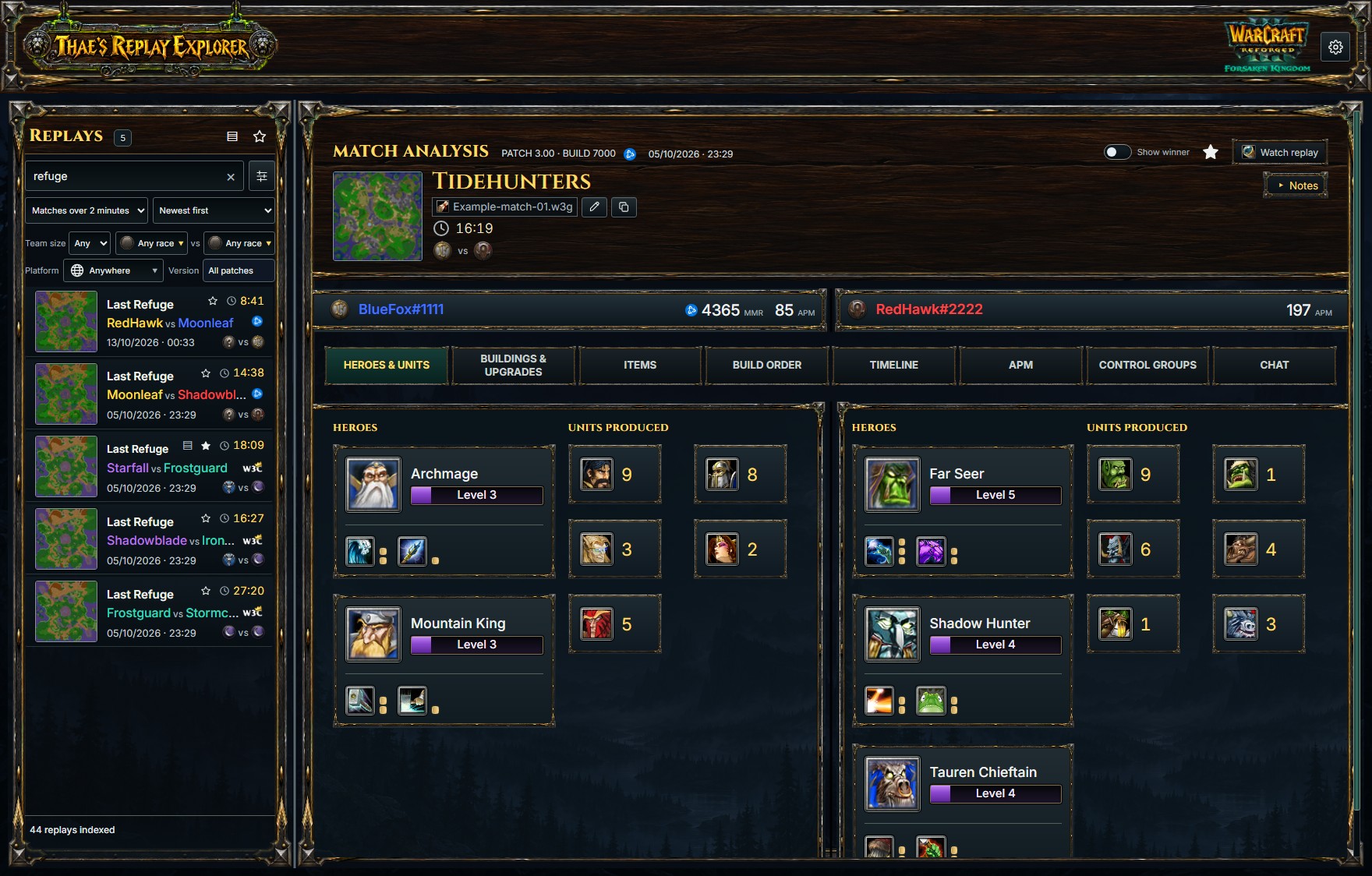
Search by map
Typing “refuge” shows replay results matching Last Refuge. Search also checks players, filenames, notes and chat.
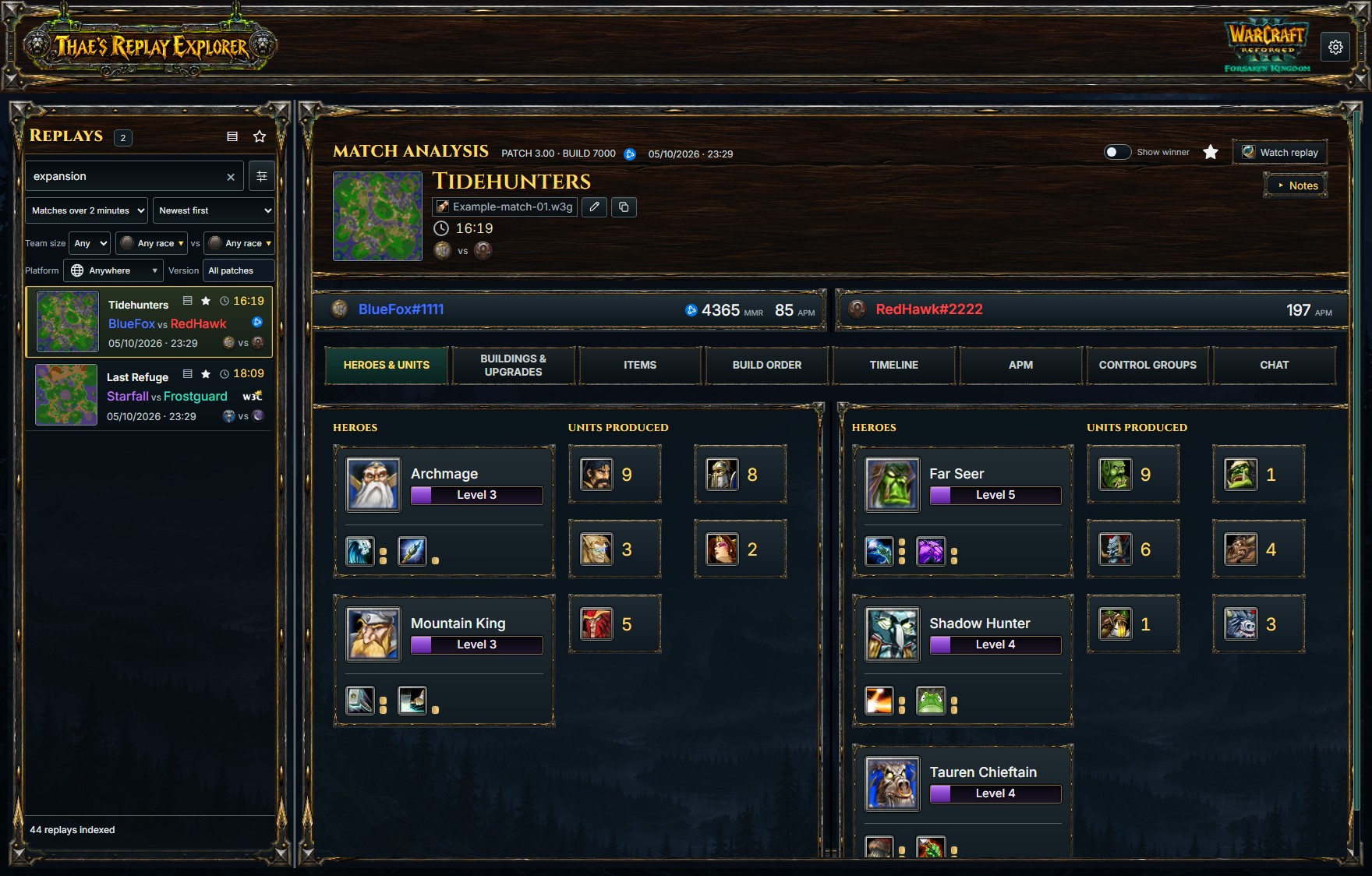
Search replay notes
Find annotated matches by typing a phrase from your saved notes, such as “expansion”.
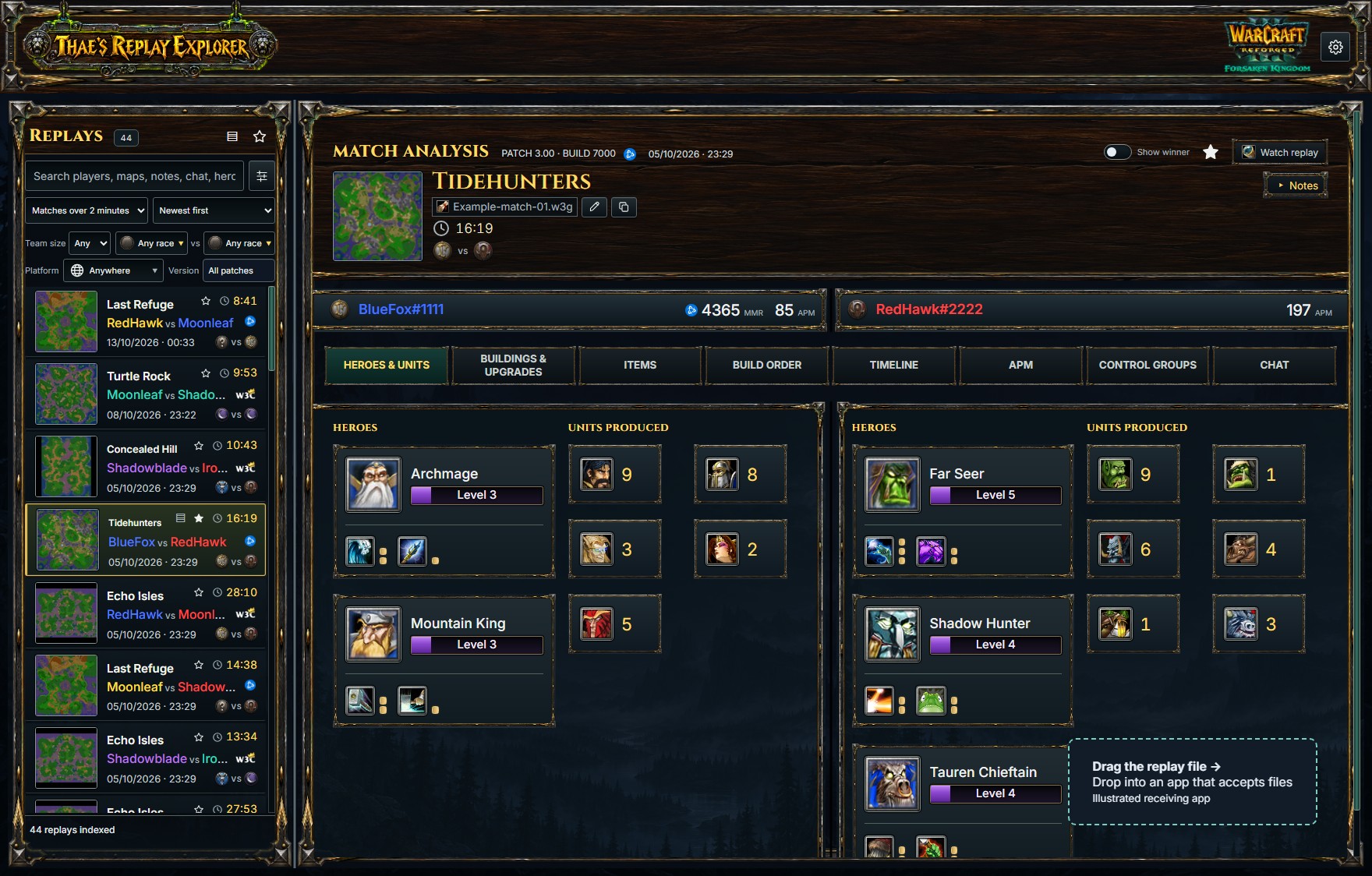
Drag & drop replay sharing
Drag from either replay list view or the match filename into an app that accepts files. The receiving app and drag path are illustrated.
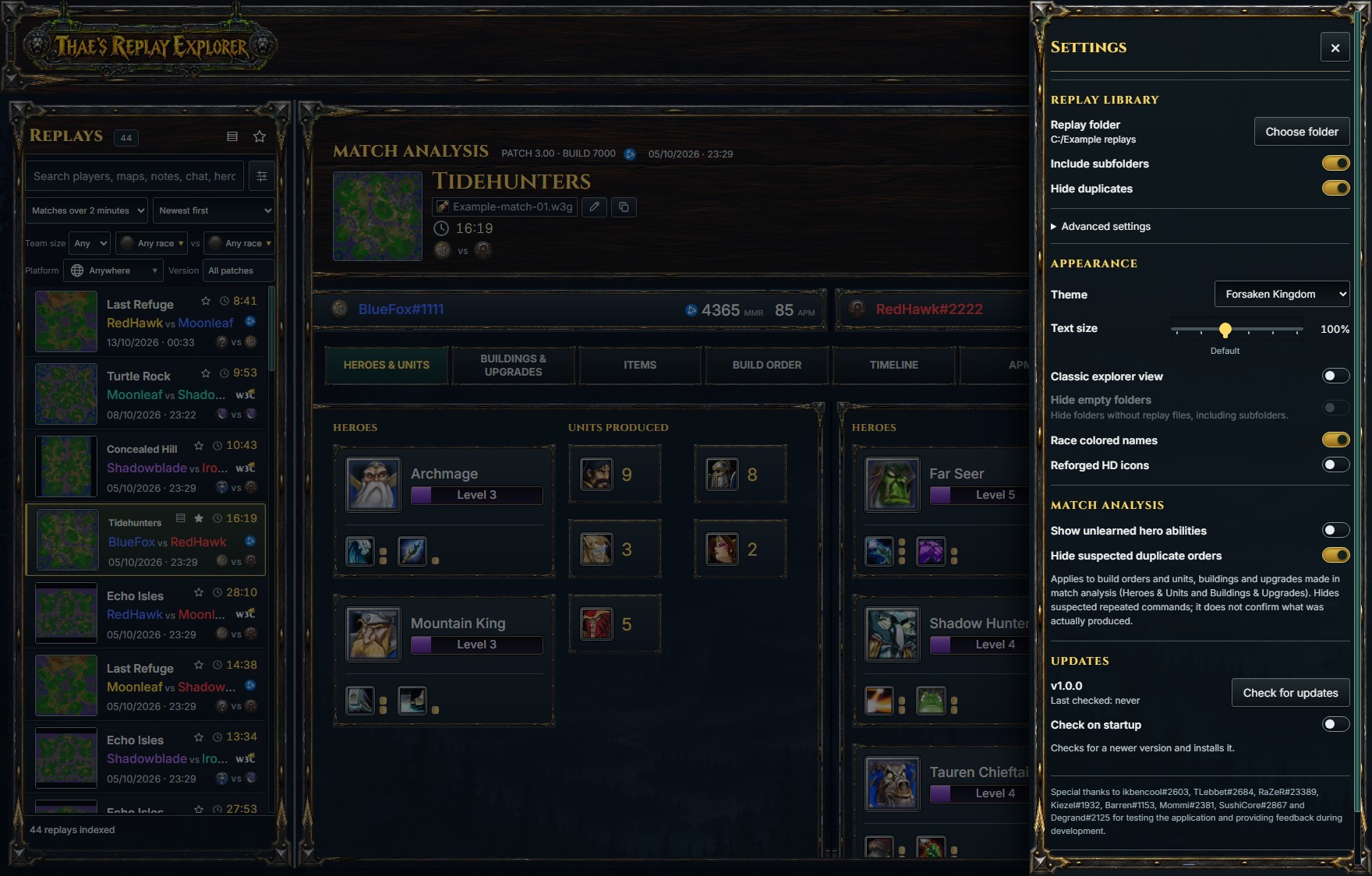
Settings
Choose replay folders, Classic view, empty-folder visibility, name colors, icons and update preferences.
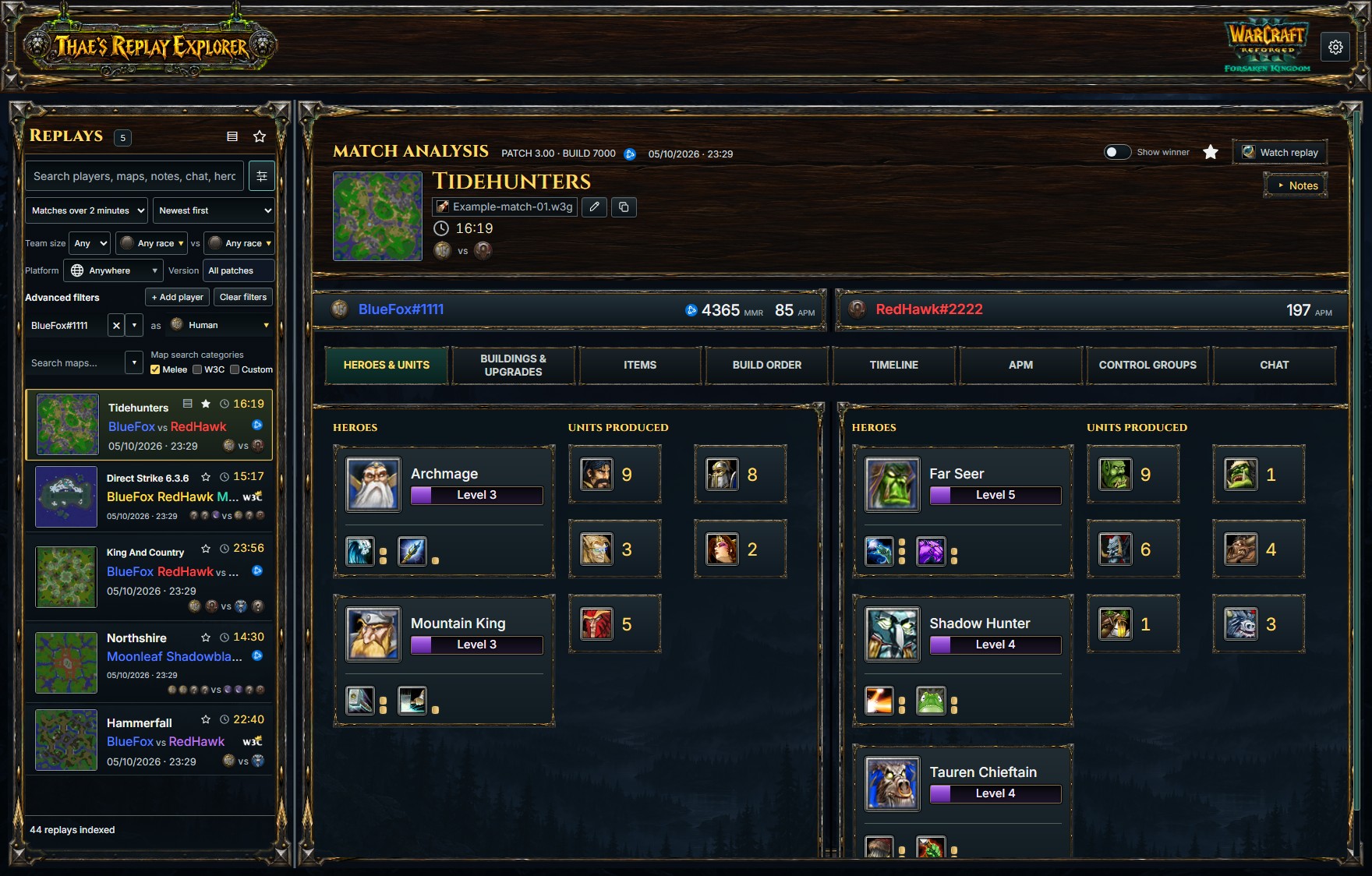
Advanced filters
Combine player, played race and map filters, with map categories and maximum player counts.
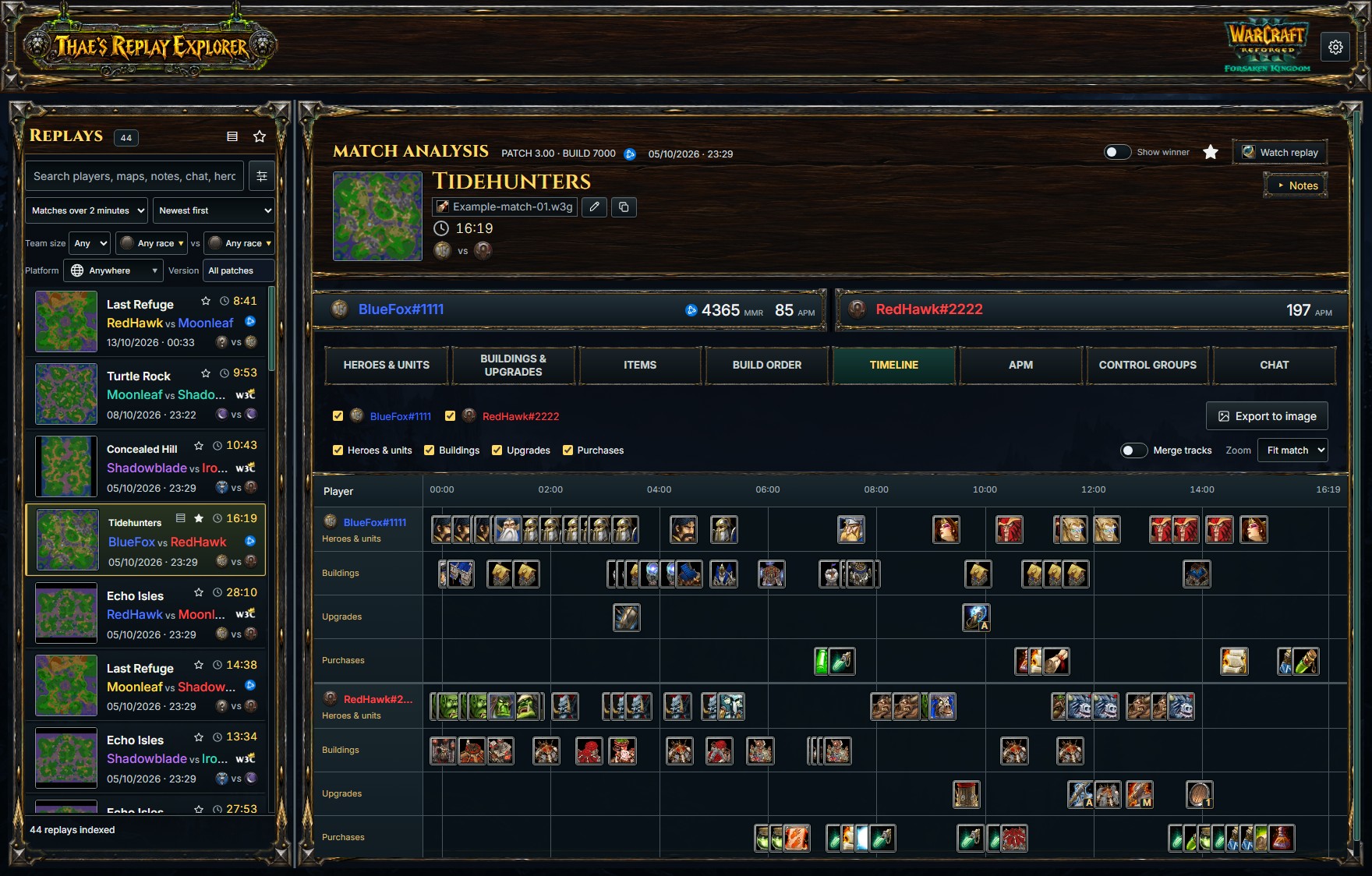
Timeline
Compare four tracks per player, filter event types, zoom, merge tracks and export the full timeline as an image.
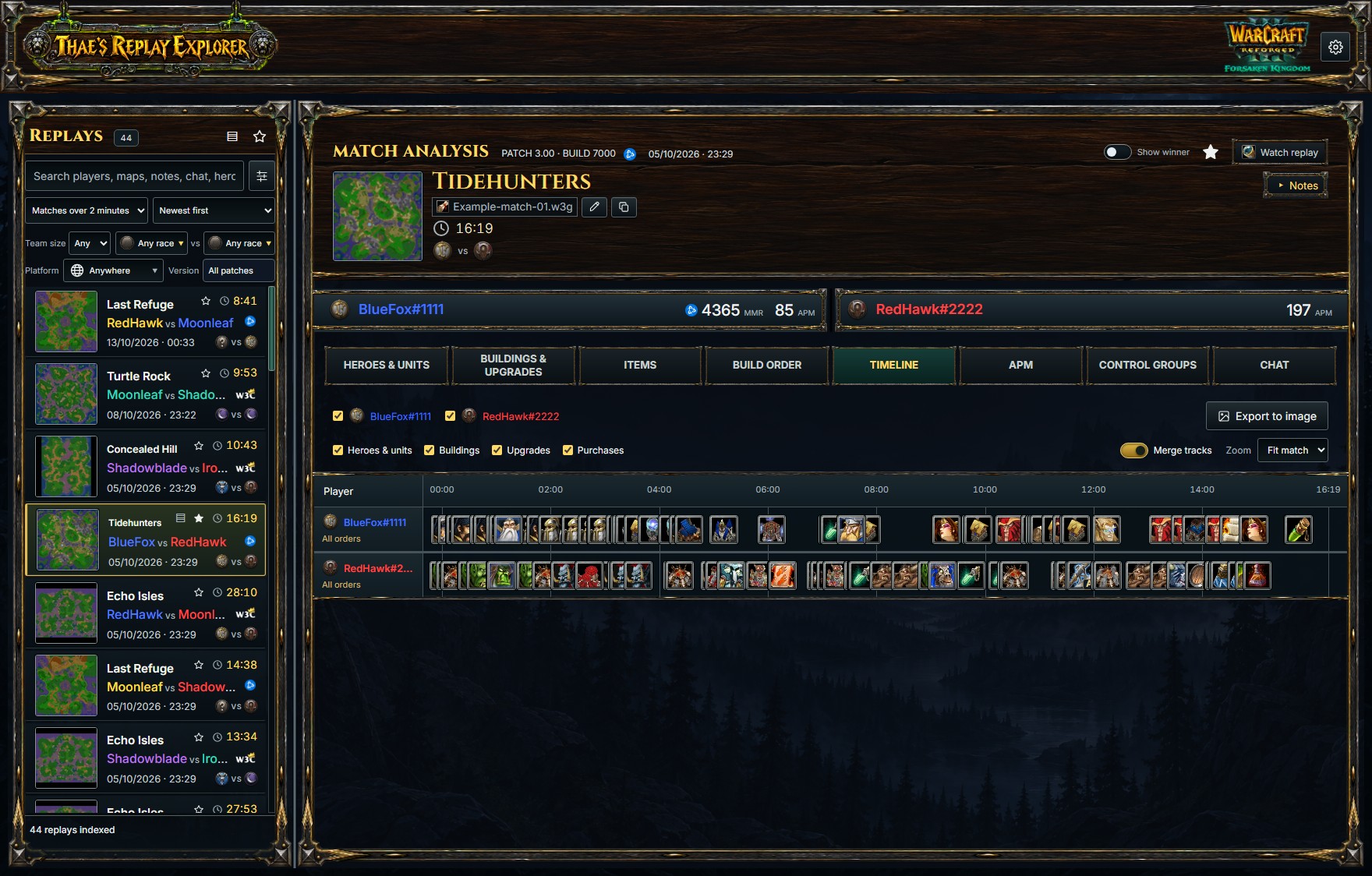
Merged Timeline
Merge each player’s four event tracks into one to compare orders in a compact view.
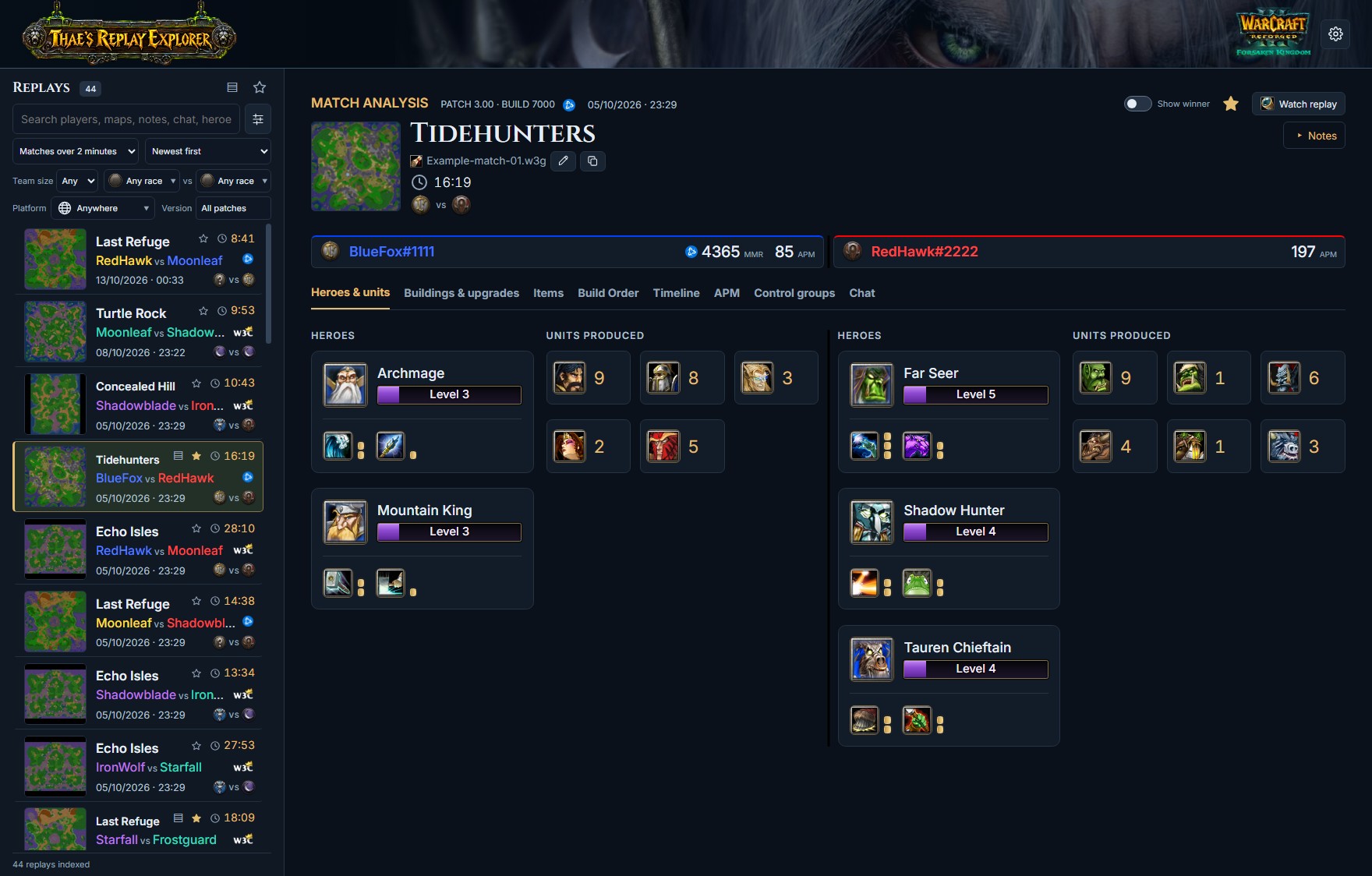
Simple
Dark blue panels and the Arthas banner.
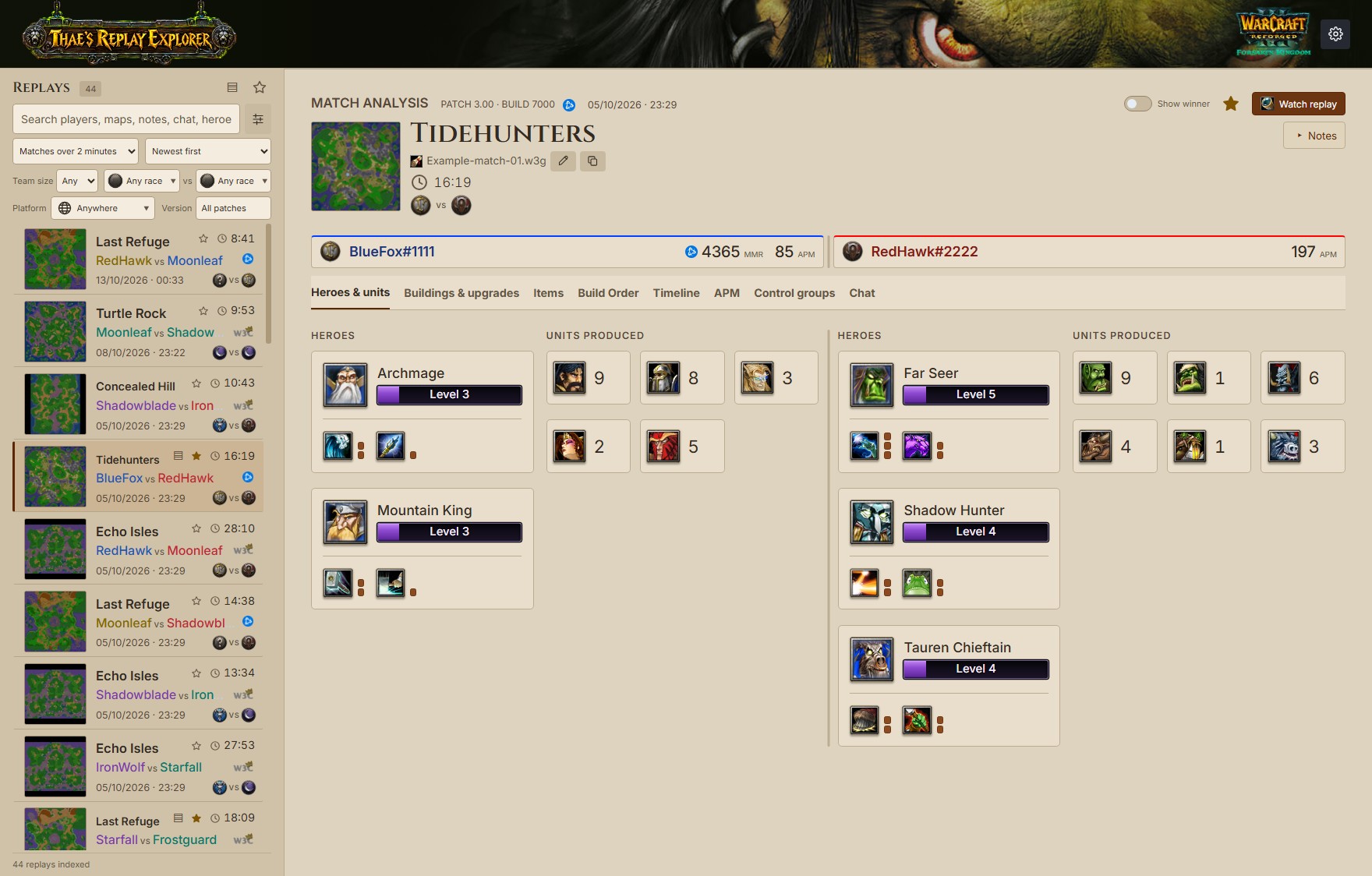
Light (Simple)
Warm light panels and the Thrall banner.
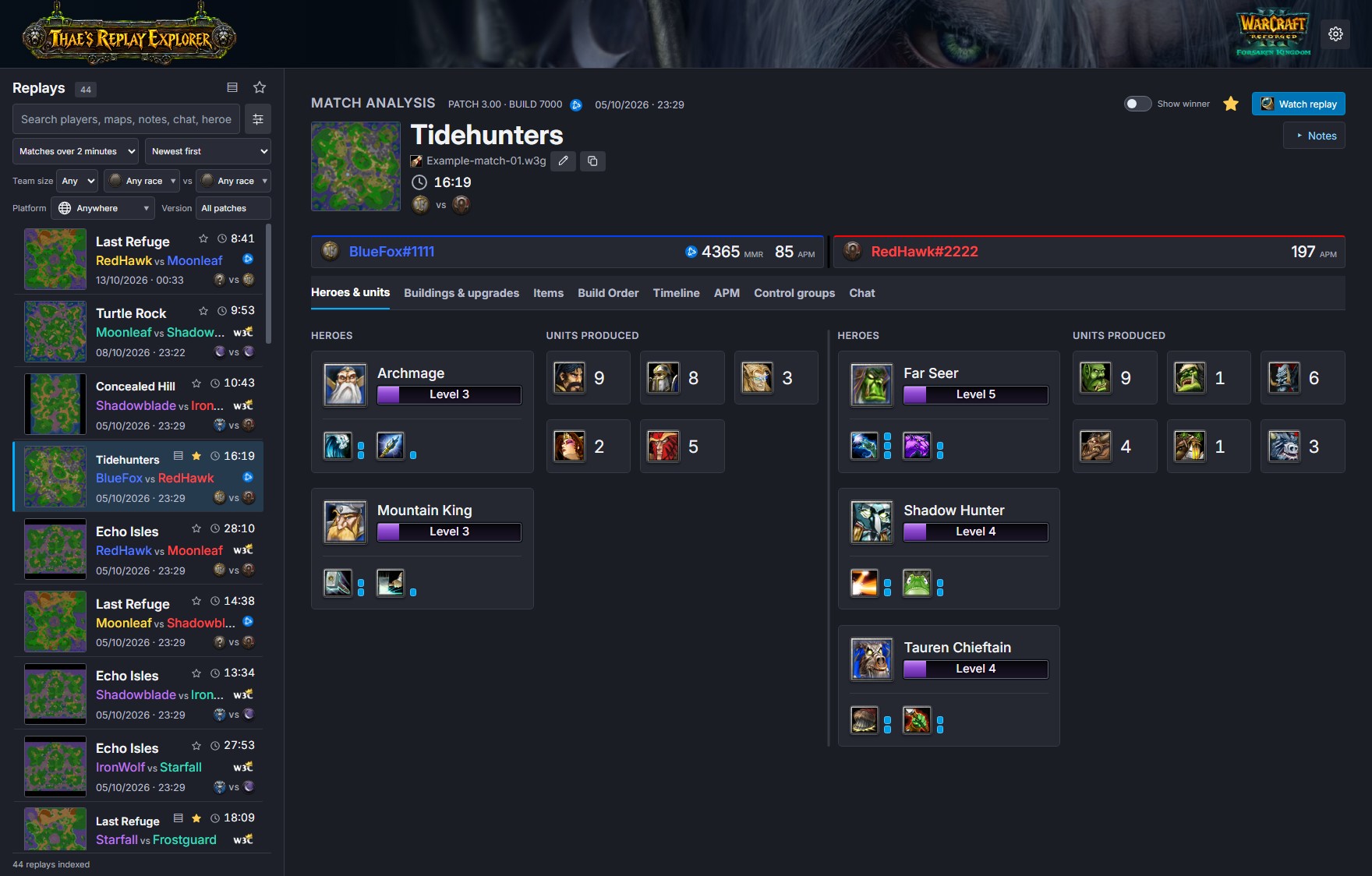
Dark (Simple)
Neutral dark panels and the Arthas banner.
Replay library
- Indexes multiple folders including subfolders
- Picks up new replays automatically
- Search players, maps, filenames, replay notes and in-game chat
- Filter by race matchup, team size and patch
- Filter by where it was played: W3Champions, Battle.net, or other platforms
- Skip games under 2 minutes
- Sort by newest, oldest, longest, shortest or map name
- Map preview, players, date and length on every replay
- Show the replay or map file in File Explorer
- Rename replay files from Match Analysis or Classic explorer view
- Hide identical replay files
- Drag and drop replay files
- Up/Down arrow navigation in both views
Match analysis
- Heroes, abilities and levels
- Units produced
- Buildings and upgrades researched
- Items bought
- APM chart
- Full-match Timeline
- Control groups
- Show winner toggle
- Battle.net MMR and APM per player
- Date, time, patch and game length
- Classic or Reforged HD icons
- Forsaken Kingdom theme and additional simpler themes
- Hide suspected duplicate orders in build orders and unit, building and upgrade tabs
Build orders
- Units, heroes, buildings and researched upgrades from the first five minutes
- Fast expansion and tier upgrade tags
- Export build order as text or image
Favorites & notes
- Filter on favorited replays and replays with notes
- Searchable notes contents
Chat
- Full in-game chat with timestamps
- Hides duplicate chat in Battle.net replays
Save & share matches
- Copy the actual .w3g file by pressing copy button or drag and drop
- Paste into a Discord conversation with Ctrl+V
- Drag replays from either list view or the match-header filename into apps that accept files
Players & replays
- Open a player's W3Champions profile
- Watch the replay in Warcraft III
The app
- Supports up to patch 3.0 The Forsaken Kingdom
- Also works with W3Champions and Battle.net replays
- One-click updates from inside the app
- Remembers folders, filters, window position, selected replay and analysis tab
- Installer or portable ZIP